Run your startup from one Notion workspace.
Goals, tasks, customers, investors, money and your team in one connected workspace. Change something once, and every page that shows it updates.
One payment, tax included. The link arrives by email right after you pay.

Alex Rivera
CEO · Wednesday 18 November
Month goals
- Get a signed term sheet70%
- 10 customer interviews40%
- Launch the new website60%
- Runway
- 11.7 months
- Next investor step
- Copperline Capital, 19 Nov
Every next step has a date.
A week of the sample company. Watch the statuses change as the days pass.
- 14 NOVTasksReview the pitch deckOVERDUE
- 18 NOVTasksSend the monthly investor updateTODAY
- 19 NOVFundraisingCopperline Capital: two customer reference callsON TIME
- 20 NOVFundraisingArctic Pine Ventures: term sheet review with the lawyerON TIME
- 21 NOVHiringElena M.: interview for founding engineerON TIME
- 27 NOVCRMKestrel Freight: pilot reviewON TIME
- 1 DECInvoicesBrightmart Retail: invoice INV-2 due, $1,620ON TIME
- 15 DECProjectsWebsite relaunch: launch dayON TIME
- Tasks
- Due date
- Fundraising
- Next step date per investor
- Hiring
- Next step date per candidate
- CRM
- Next step date per company
- Invoices
- Due date
- Projects
- Timeline
Nine parts. Each one answers a question you ask every week.
37 connected databases with sample data for a small startup, so you see each part working before you add your own.
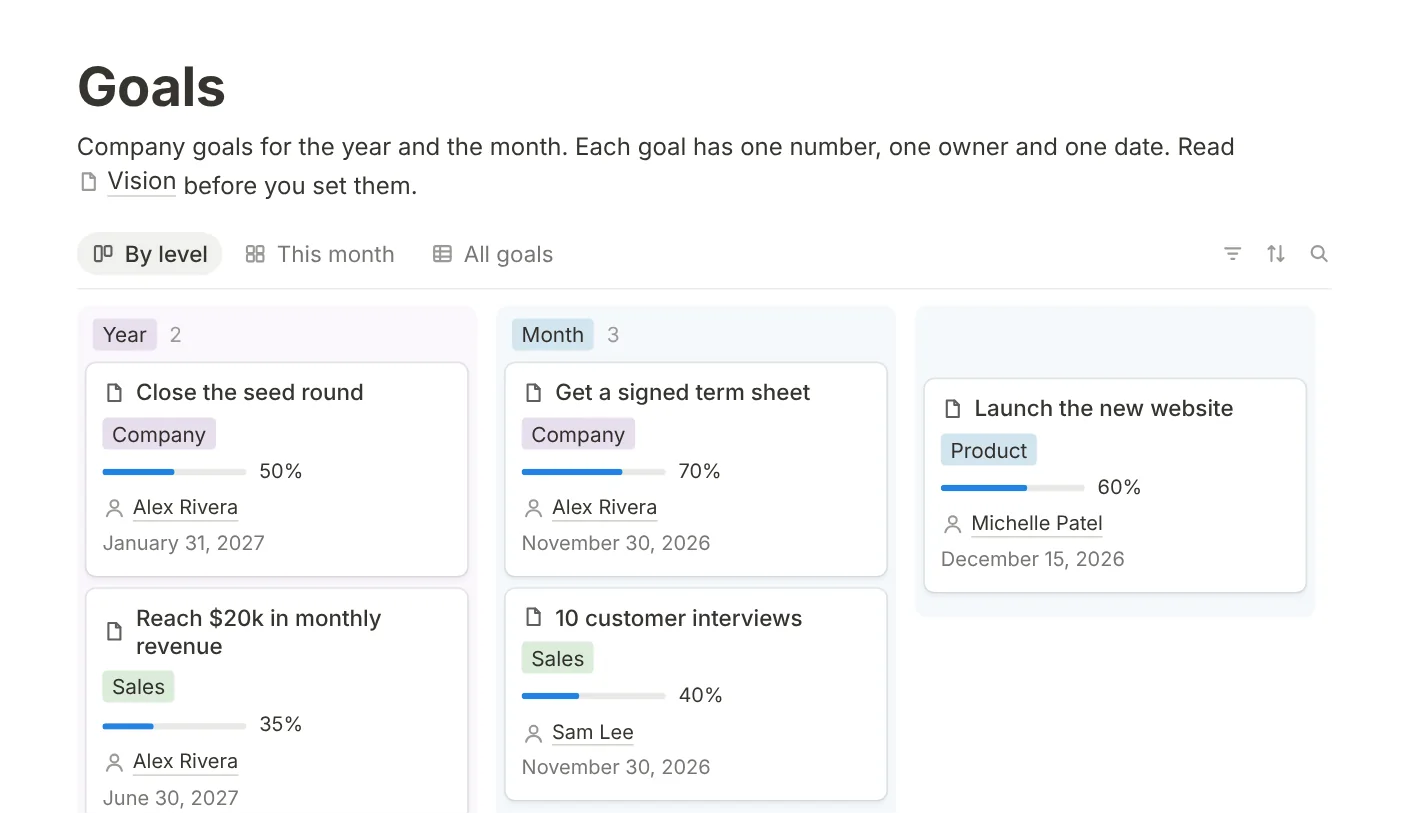
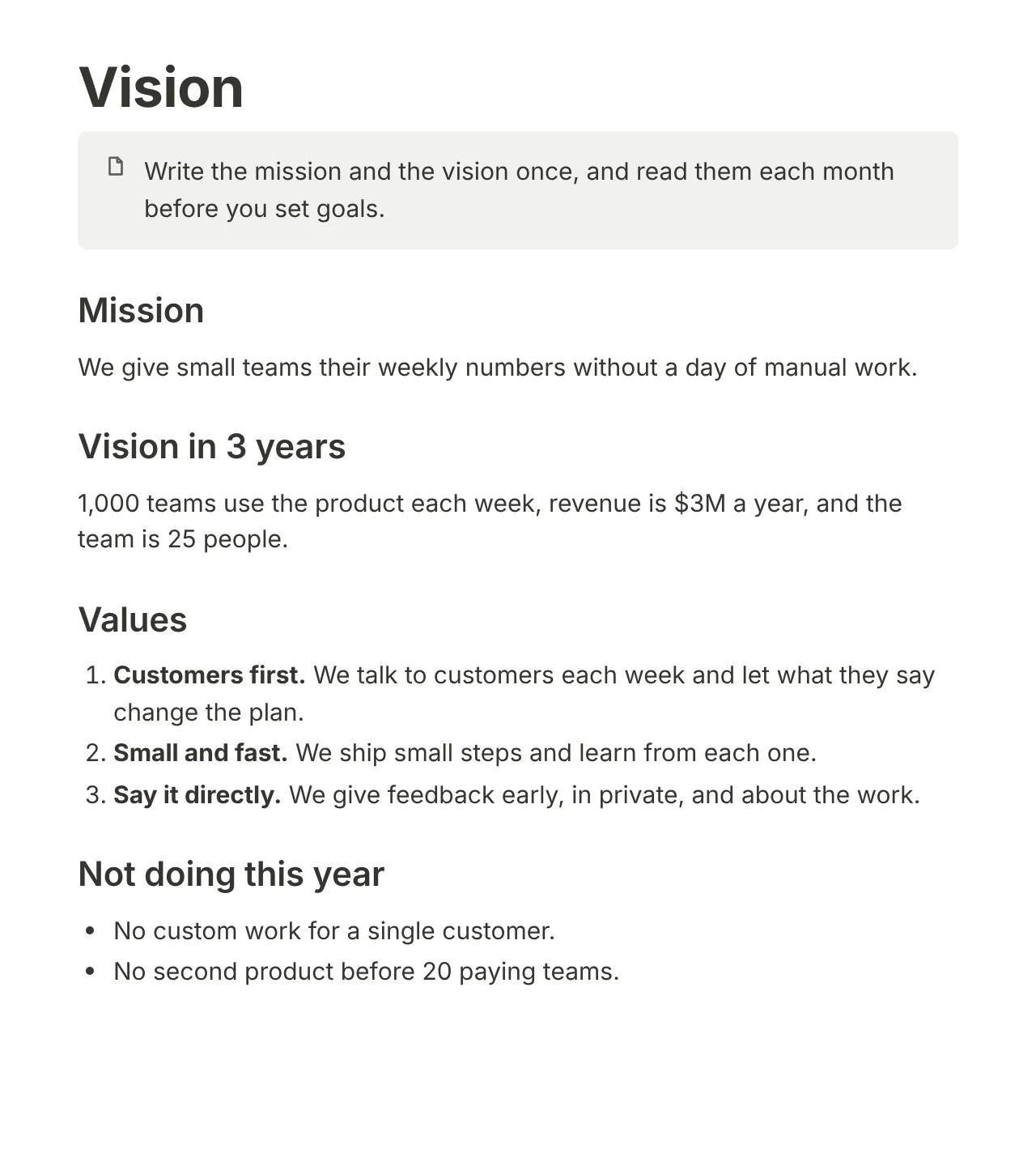
Everyone knows what this month is for.
Write the mission, the 3-year vision and the things you will not do. Then set 3 to 5 goals for the year and for the month, each with one number, one owner and one date.
- Year and month goals with their progress
- Mission, values and a not-doing list
- A Monday routine to set the week’s 3 outcomes
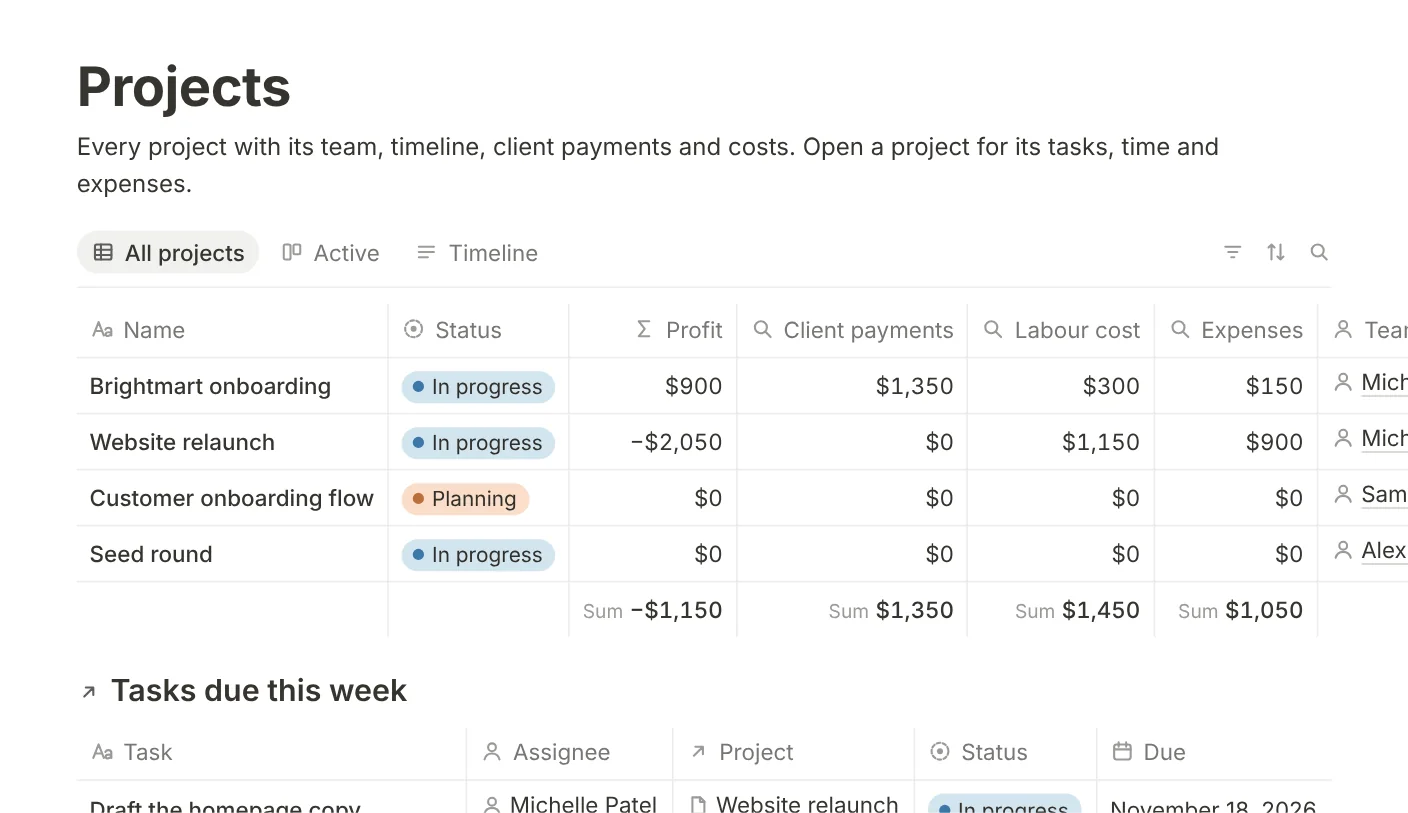
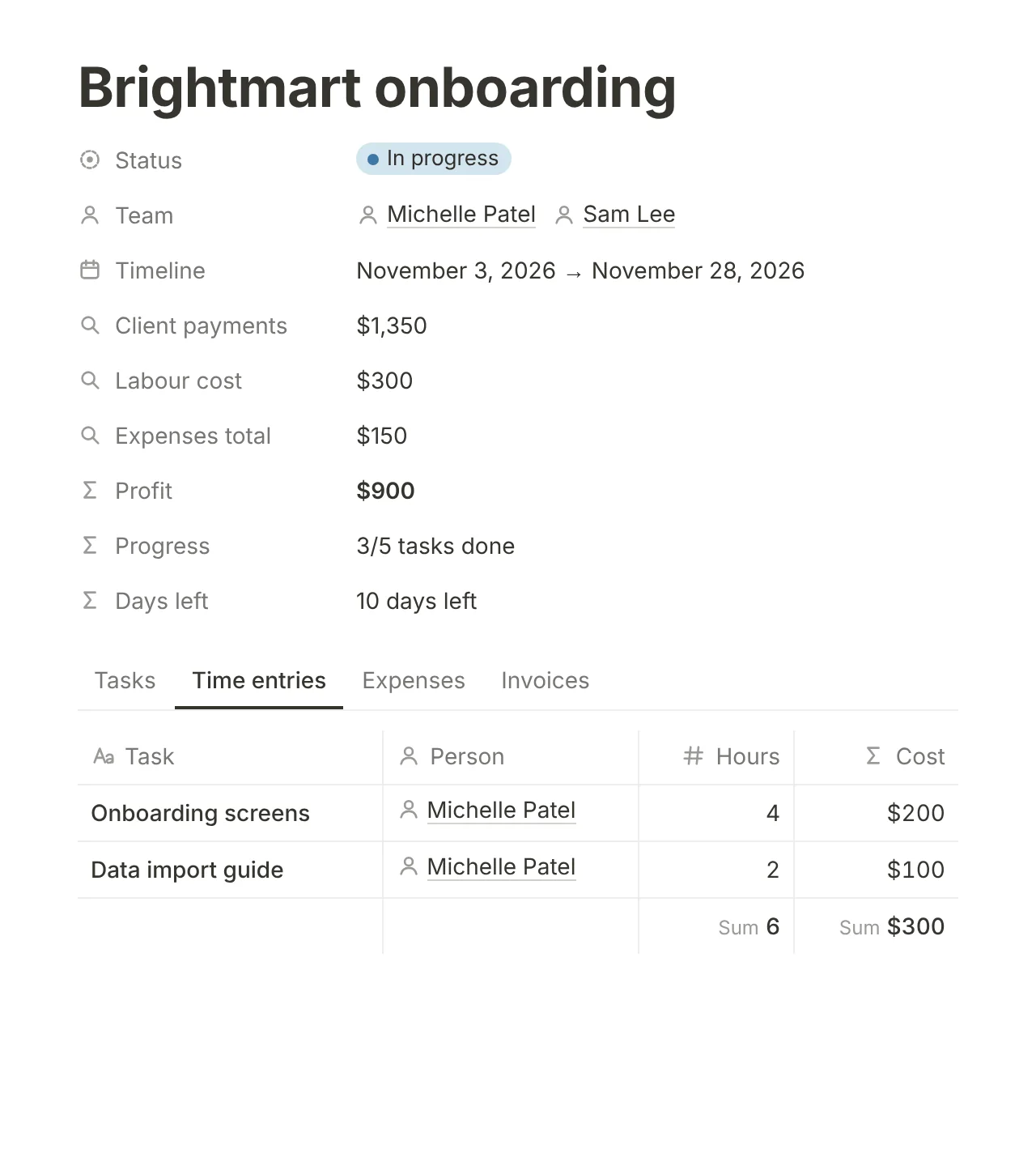
See the profit of each project while it runs.
Each project adds up its client payments and takes away labour and expenses. Labour comes from the hours in the timesheet and each person’s rate, or from a fixed price when you buy work in.
- Projects with a brief, a timeline and a team
- Tasks with sub-tasks and a timesheet
- Profit per project, updated with every hour you log
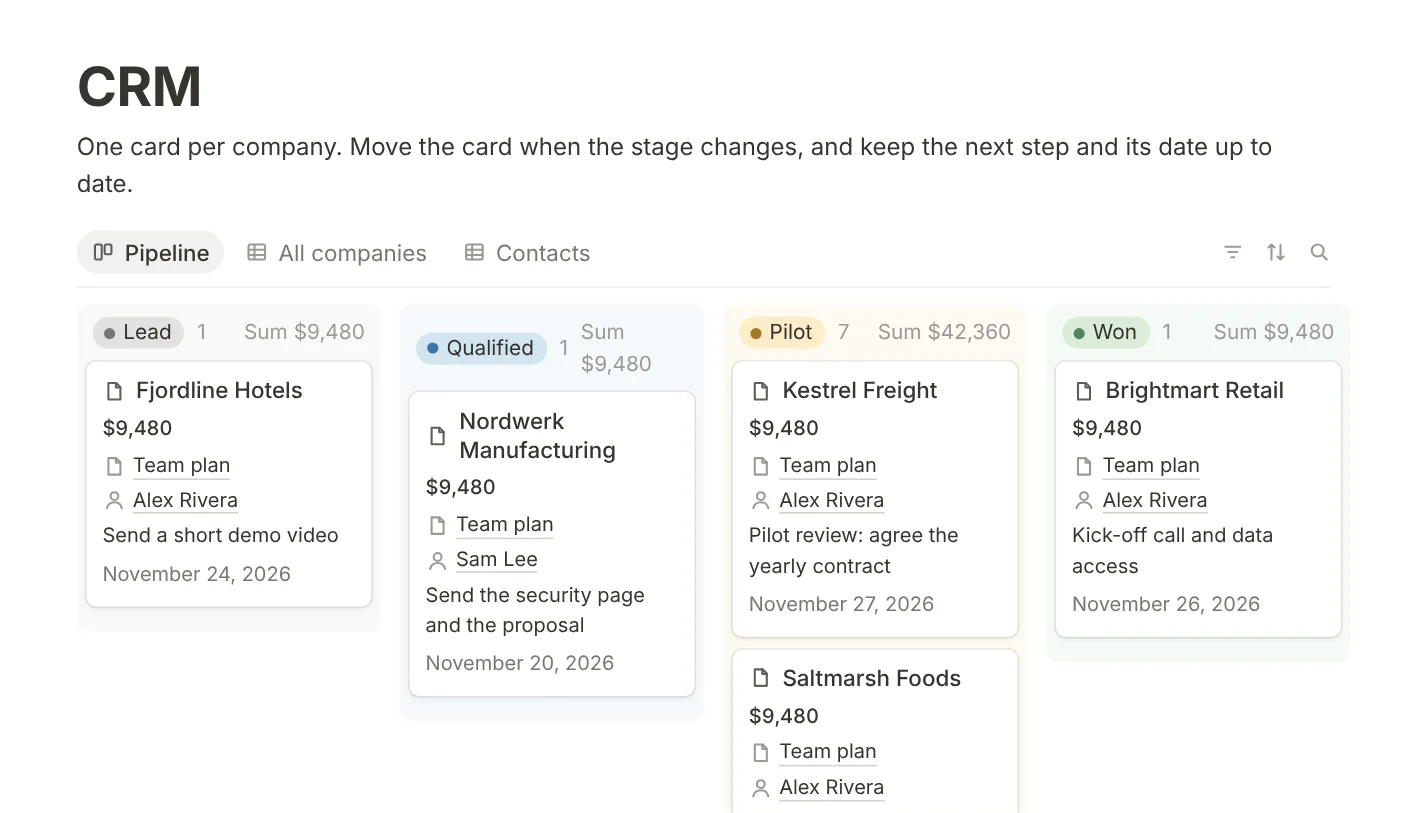
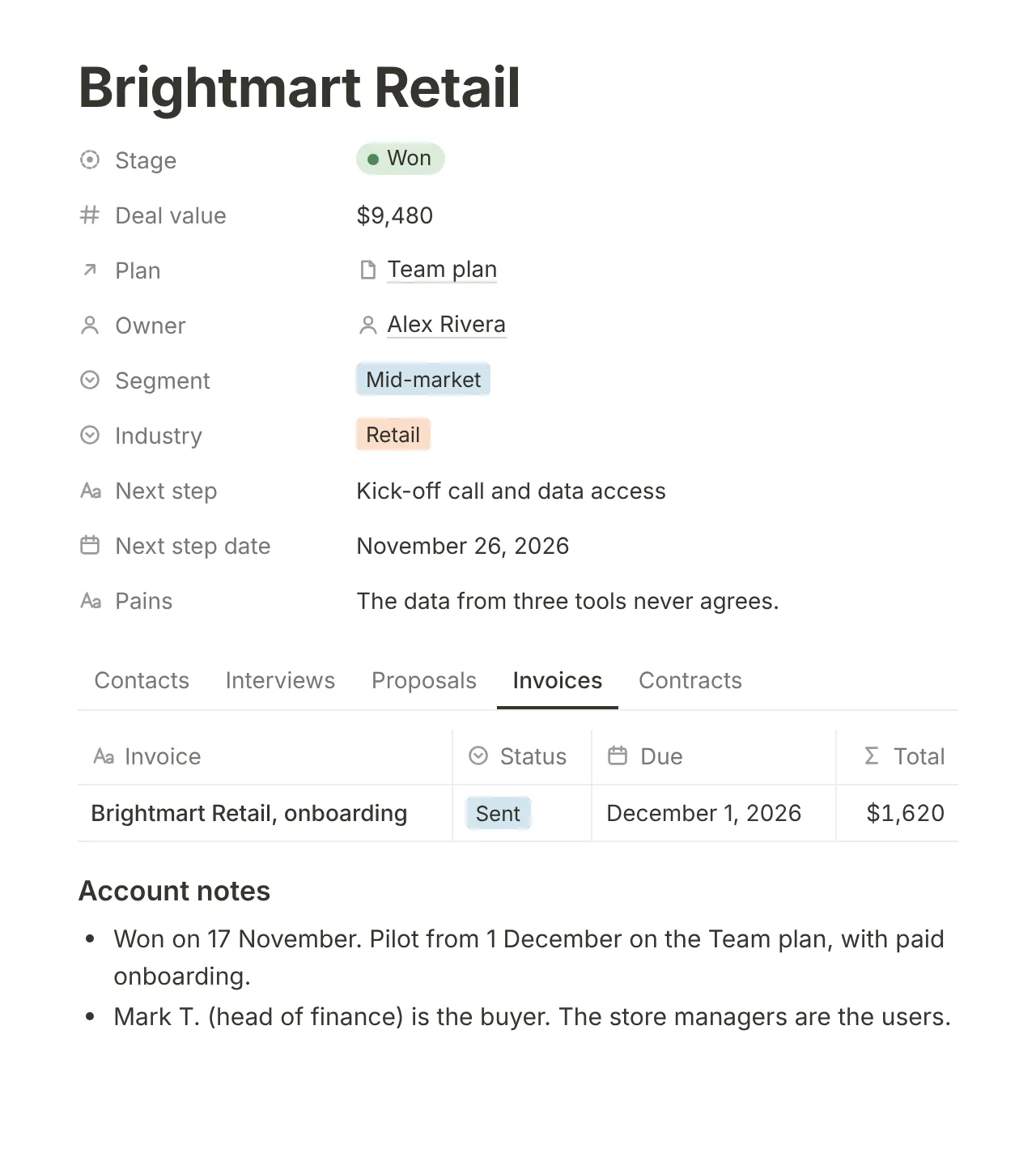
Every deal has a value, a next step and a date.
Move each company through the pipeline and see the value of each stage. The company page keeps its contacts, interview notes, proposals, contracts and invoices.
- A pipeline by stage, with the sum of each stage
- One page per company
- Customer interviews linked to the company
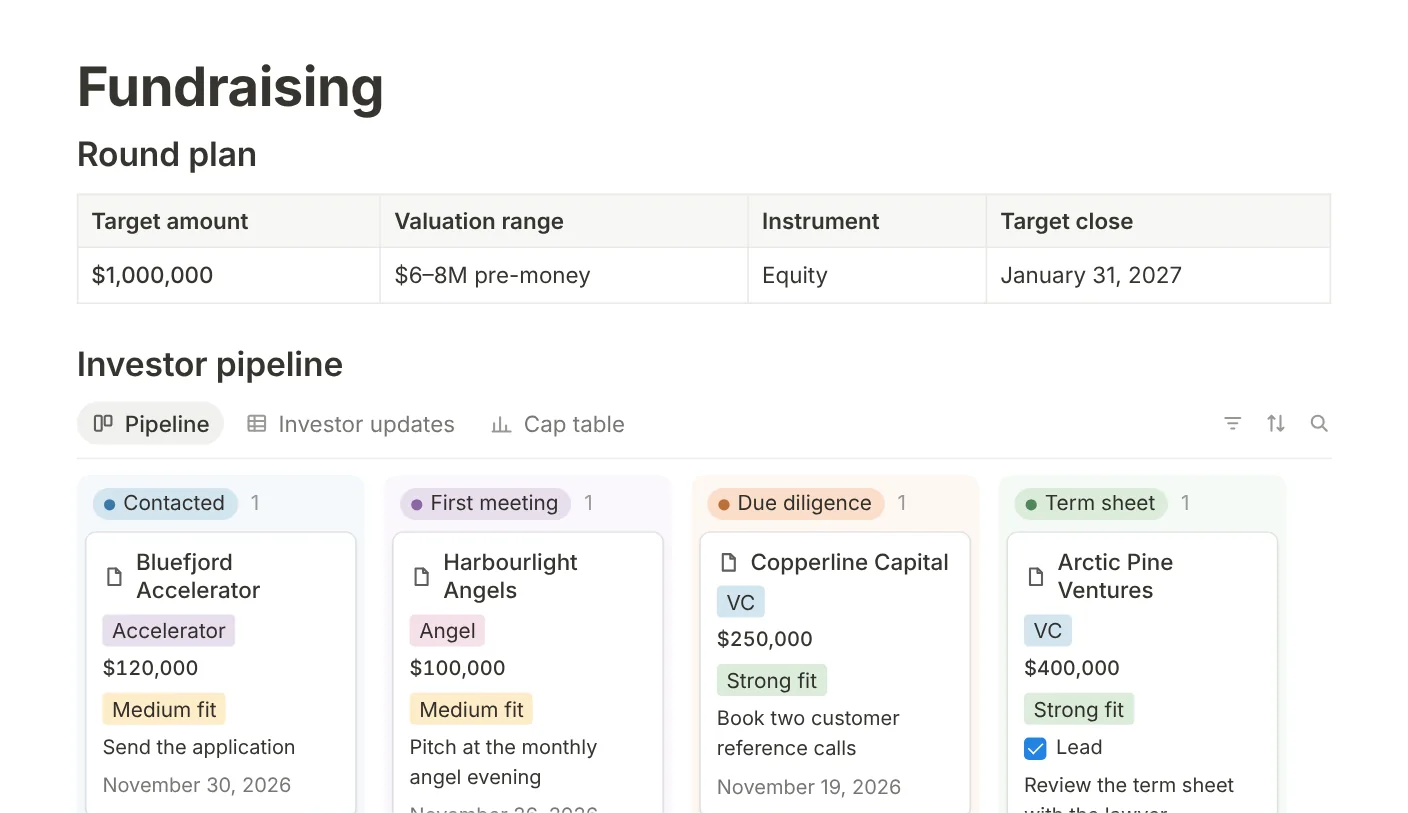
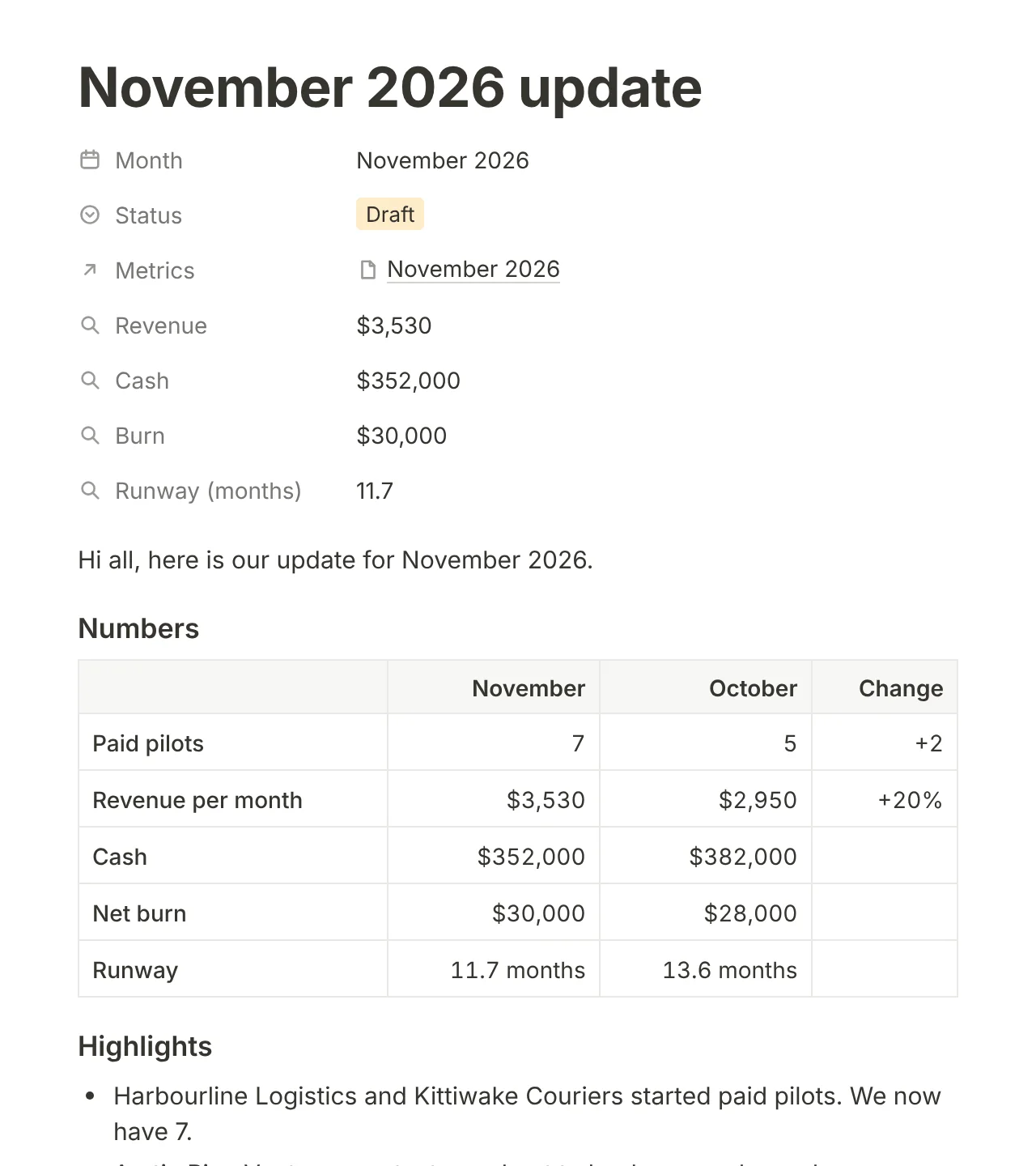
Run your round like a sales pipeline.
Each investor has a stage, a ticket, a fit and a next step with a date. The monthly investor update takes its cash, burn and runway from your metrics.
- A round plan and an investor pipeline
- Monthly investor updates with the numbers filled in
- A cap table
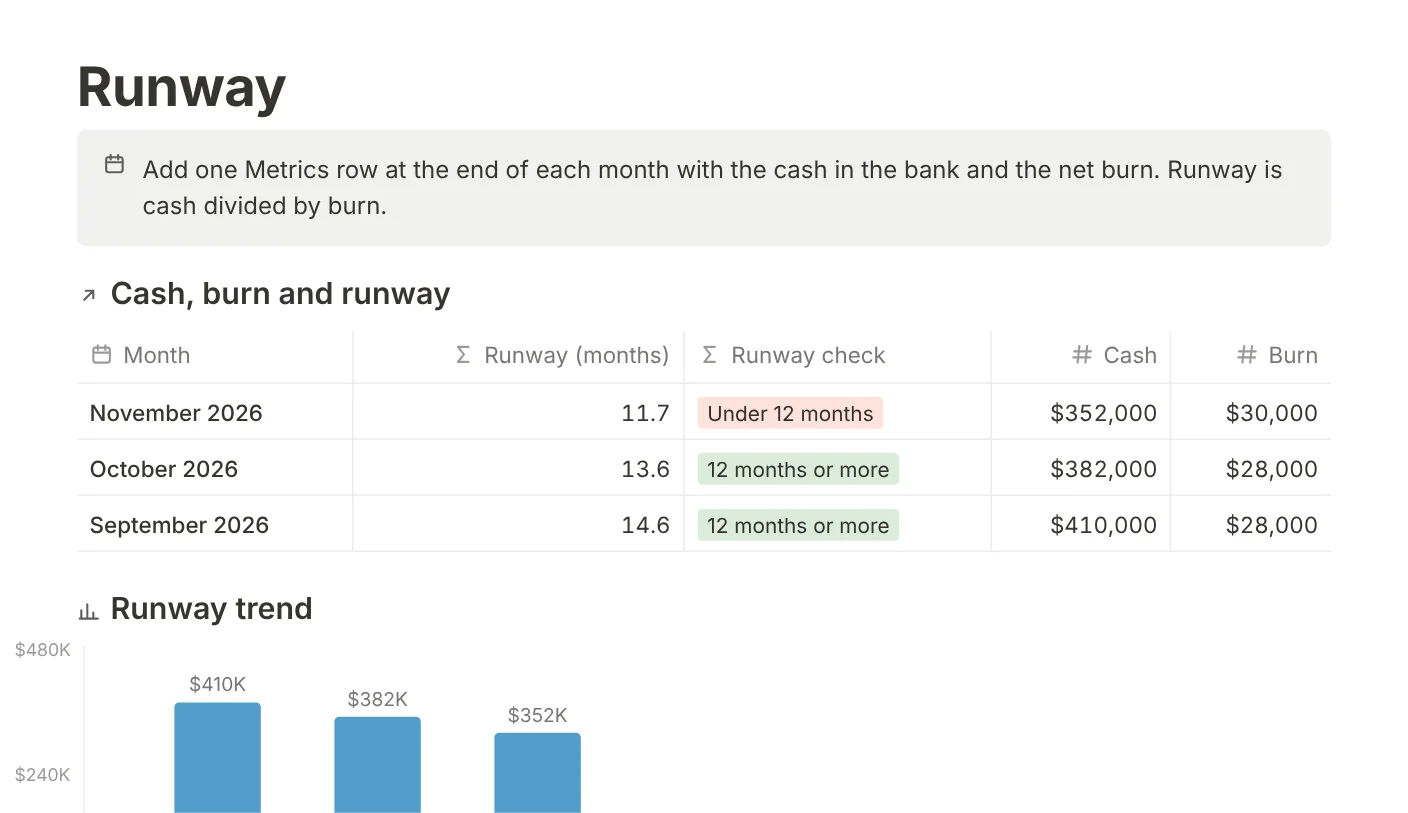
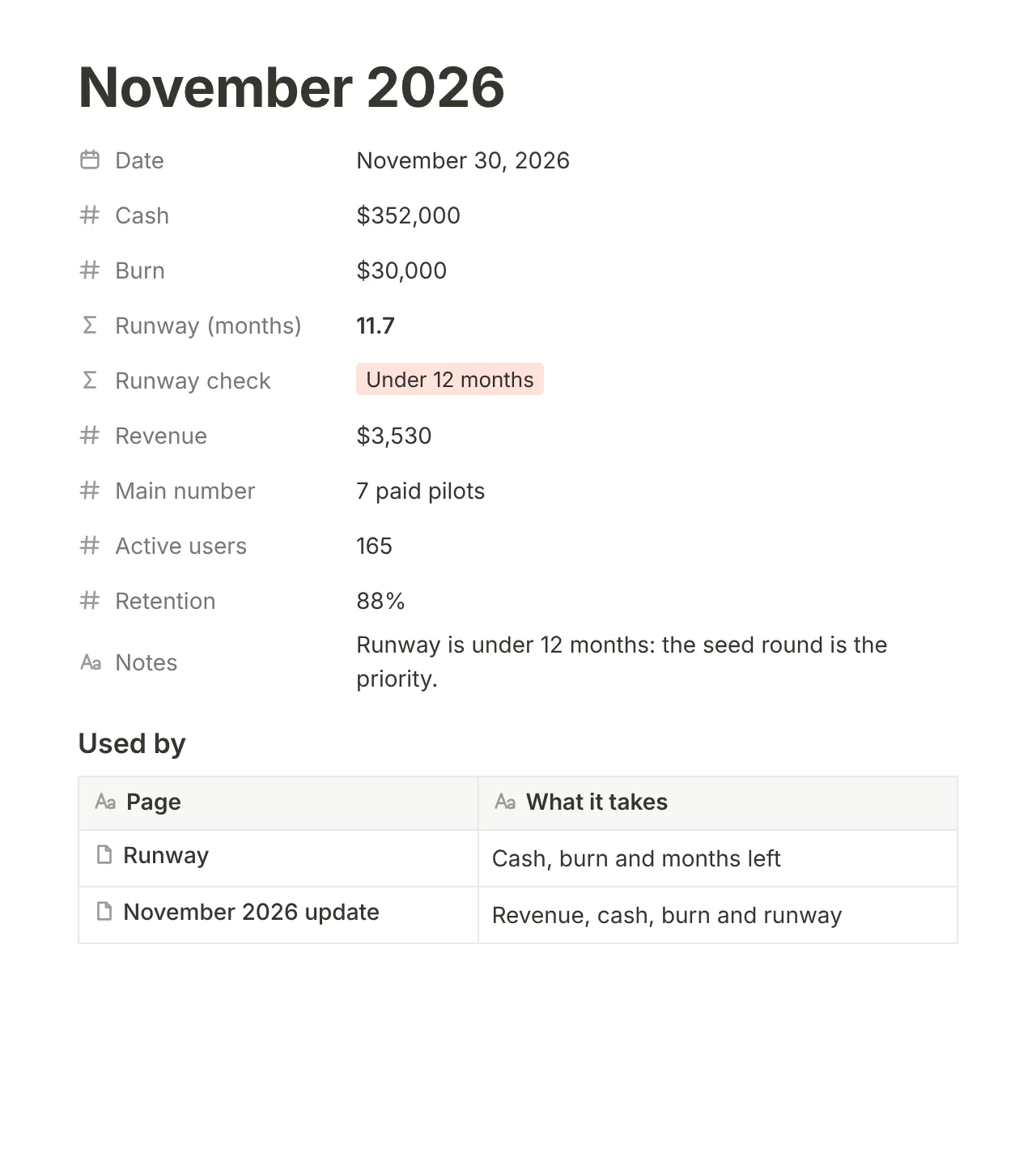
Know your runway before an investor asks.
Add cash and burn once a month. Runway calculates itself and warns you under 12 months. Invoices and proposals take their line items from your services and add the discount and VAT.
- Runway with a 12-month warning
- Invoices and proposals with VAT
- Monthly and yearly reports
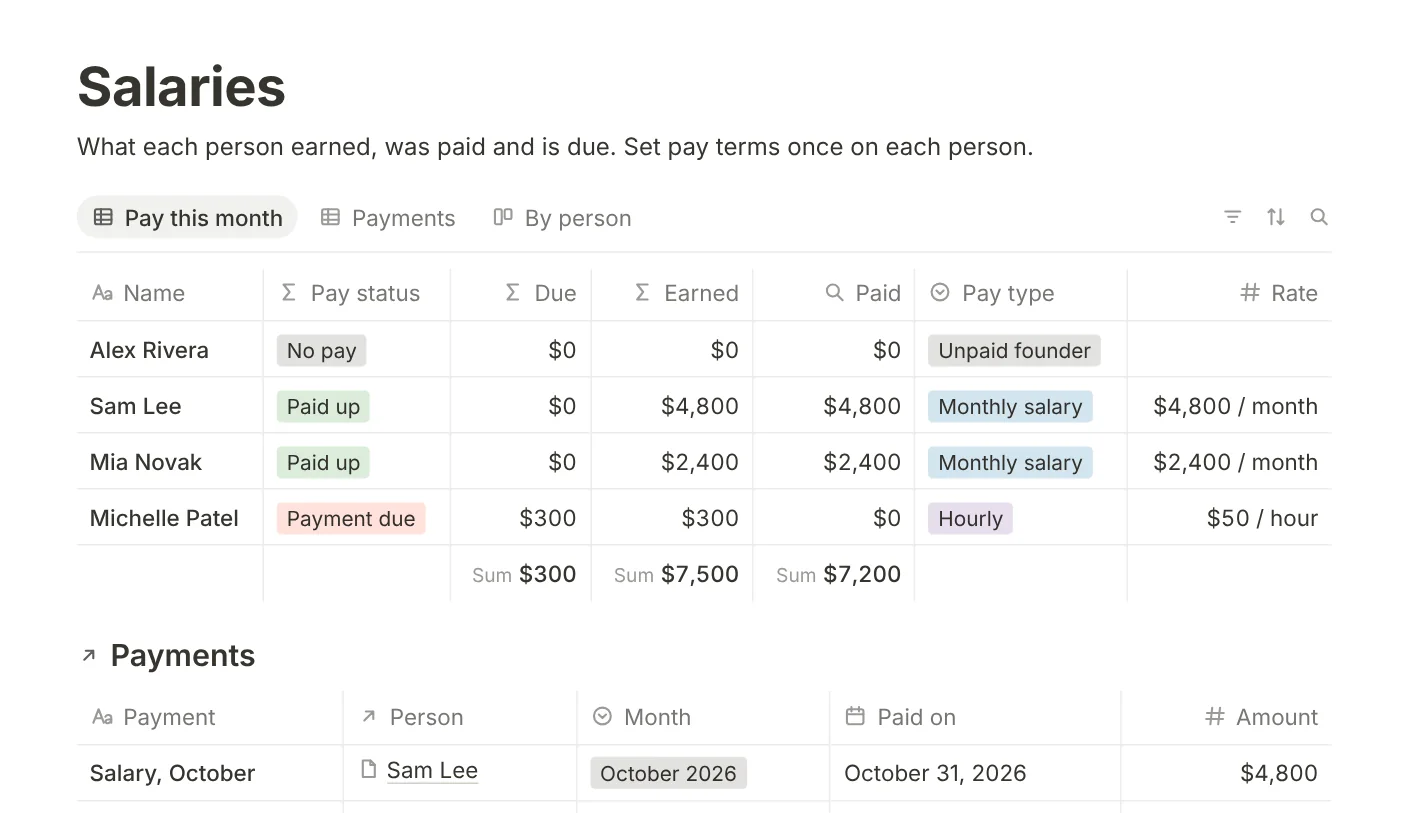
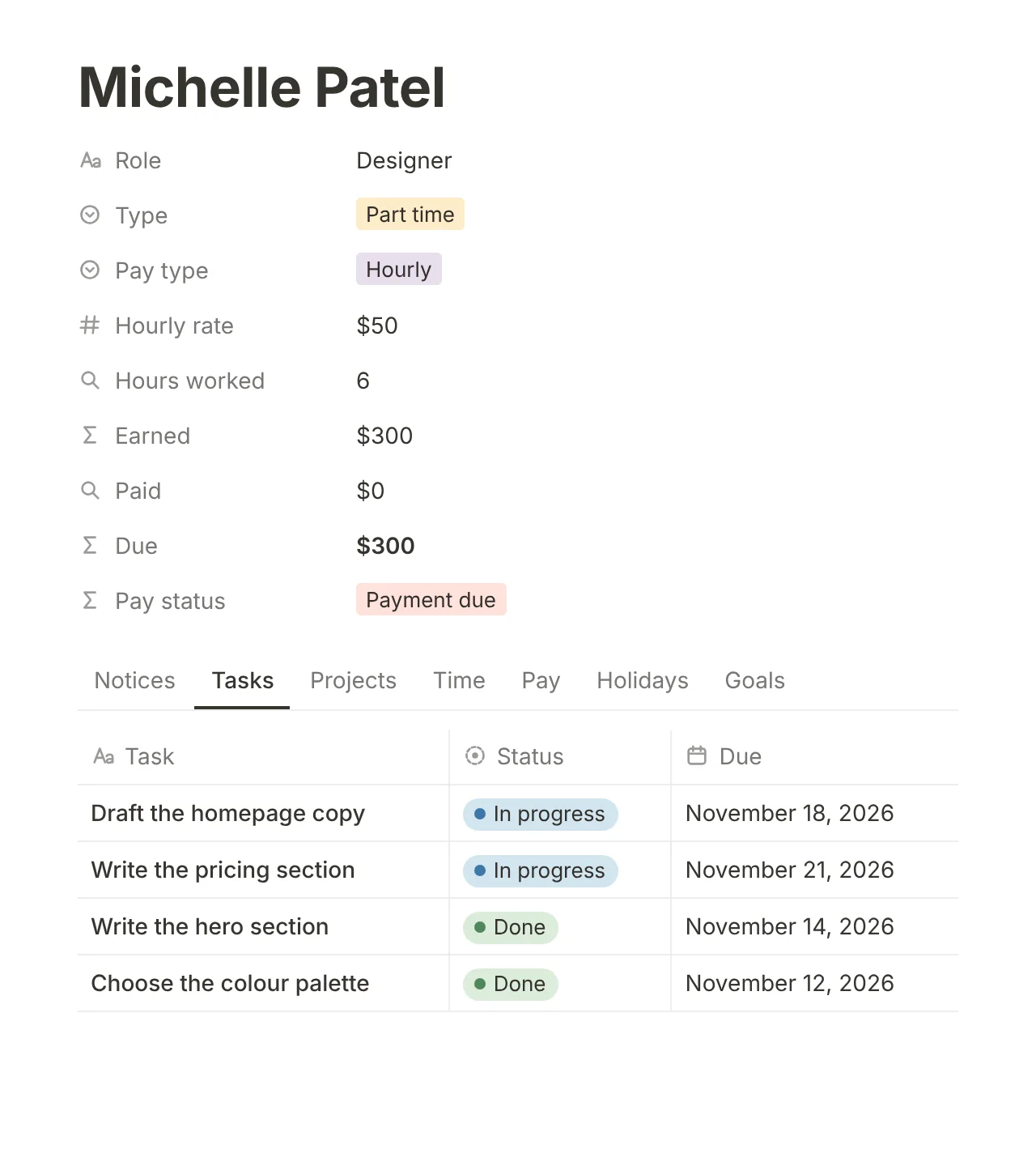
Know what you owe each person on pay day.
Set pay terms once: a monthly salary, an hourly rate or an unpaid founder. Each person then shows what they earned, what you paid and what is due.
- Earned, paid and due for each person
- A page for each person with their tasks and time
- Holidays, assets, messages and a notice board
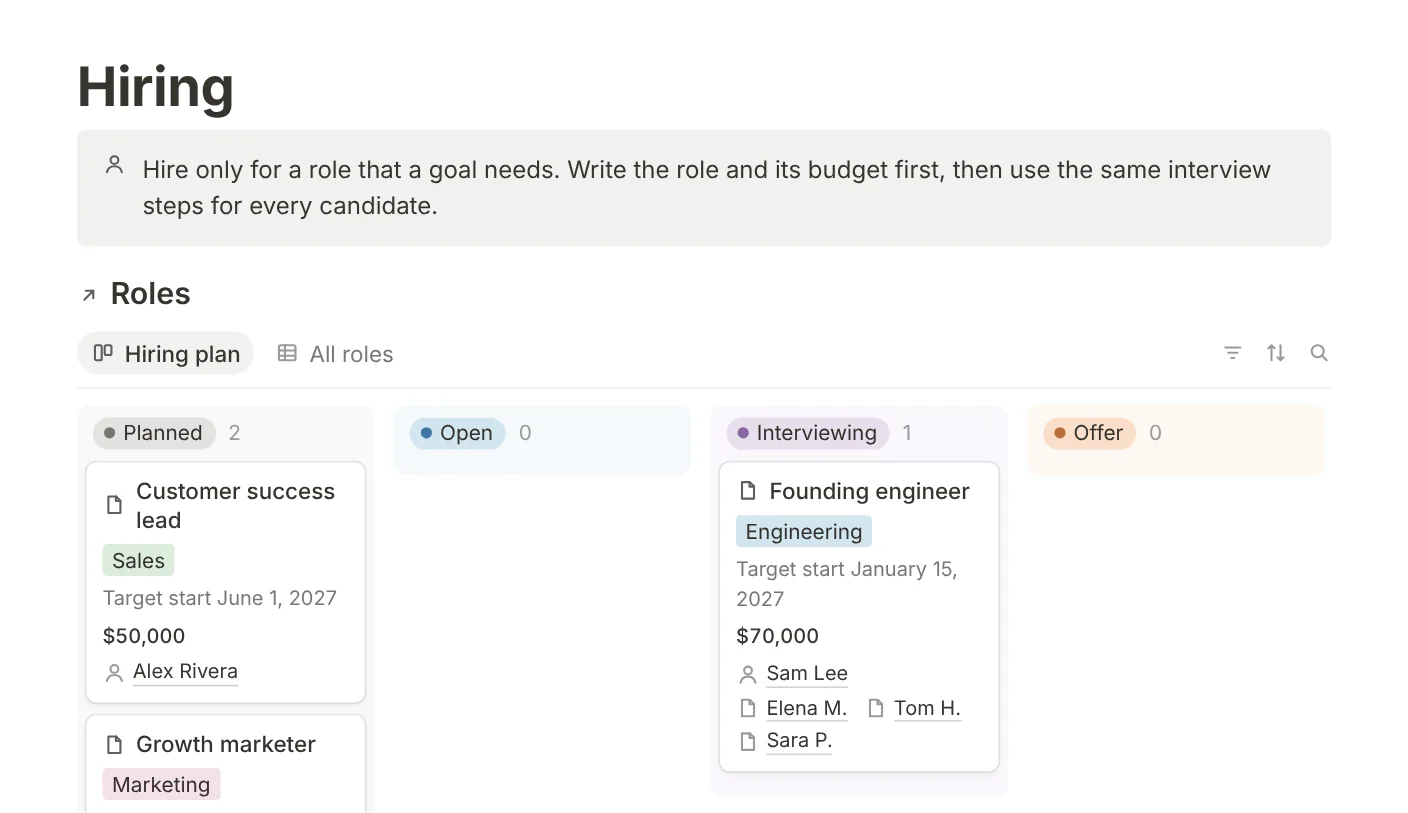
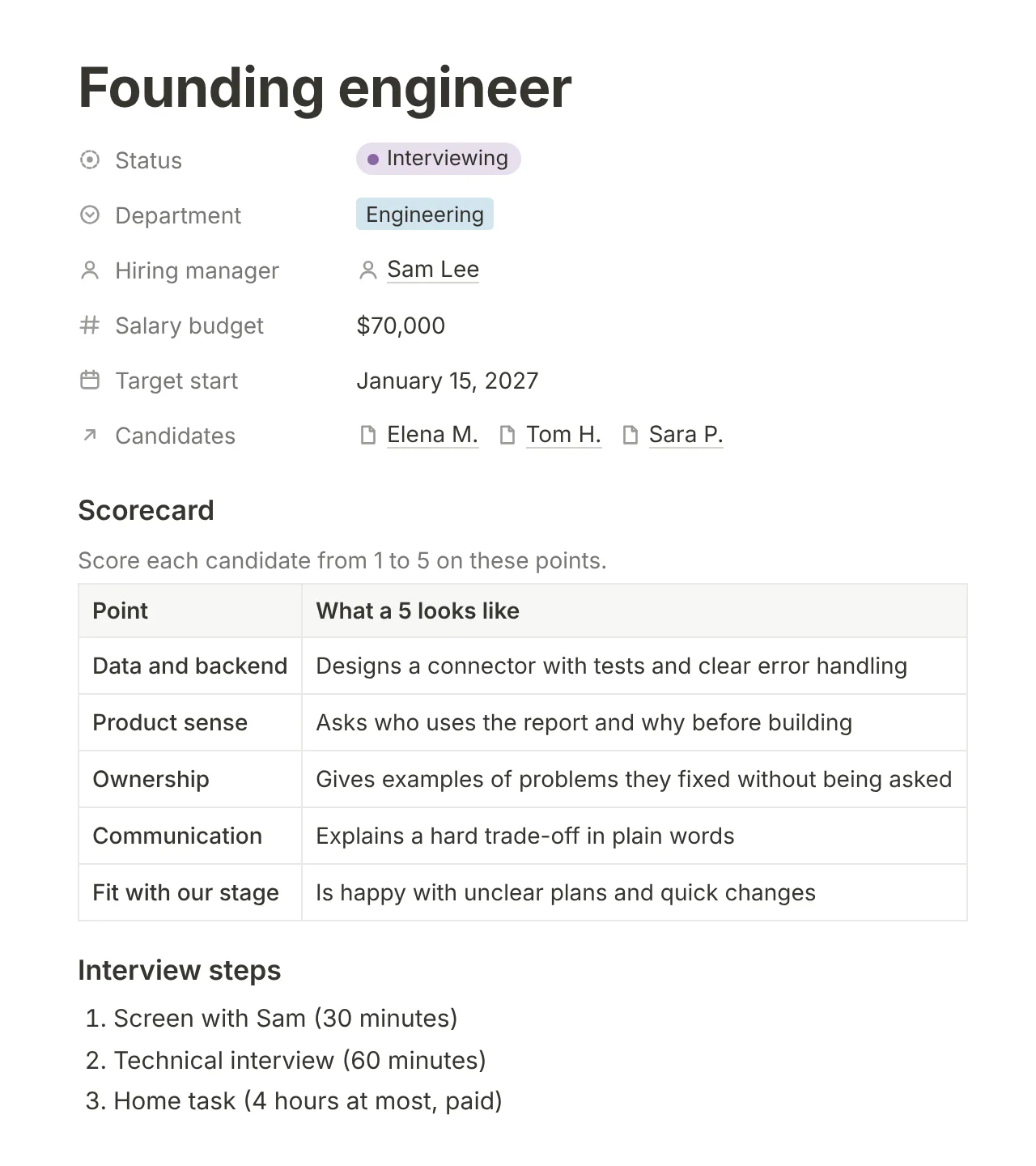
Score every candidate against the same scorecard.
Write each role with its budget, its interview steps and a scorecard. Candidates move through the same stages, each with a next step.
- Roles with a salary budget and a start date
- One scorecard for each role
- Candidates by stage
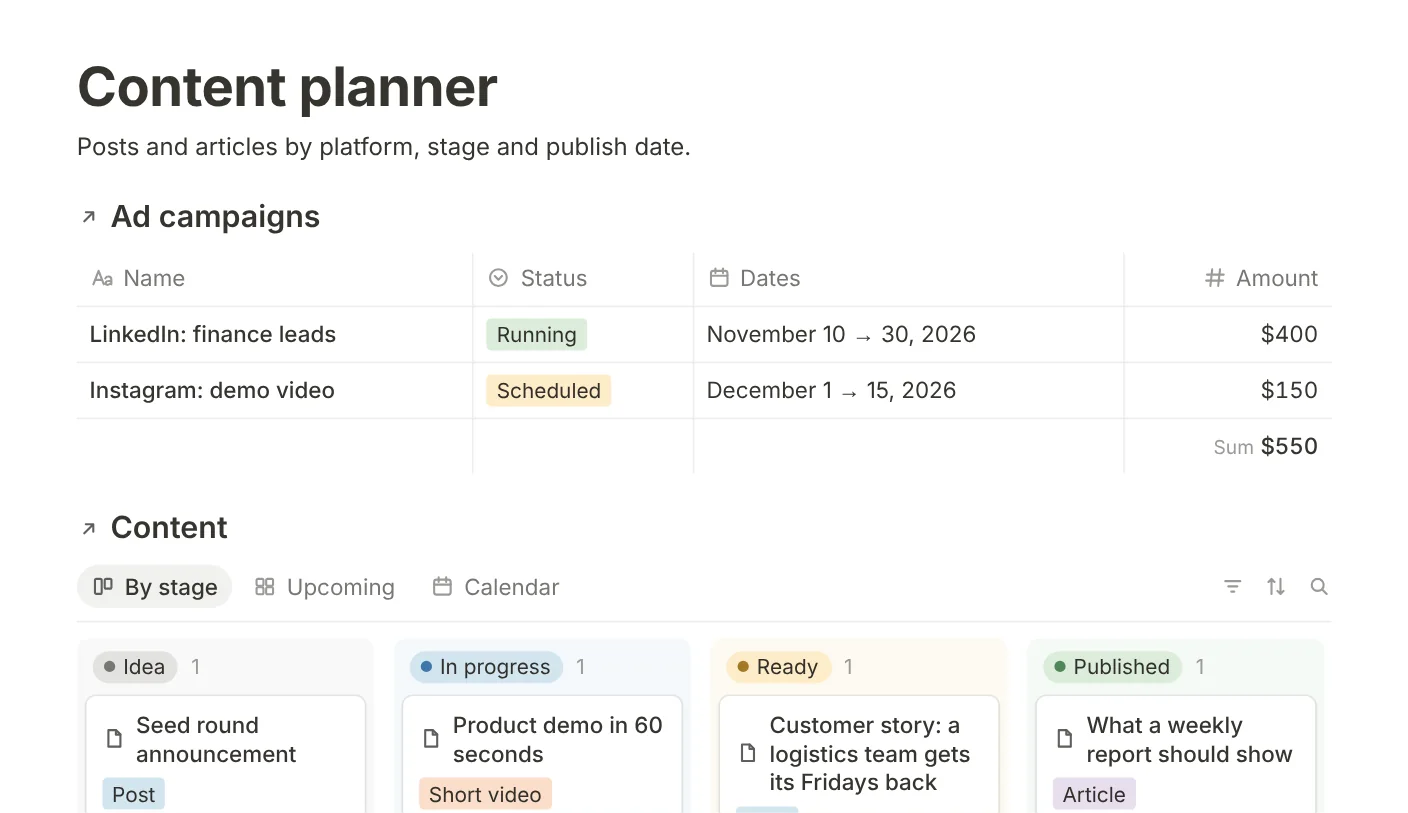
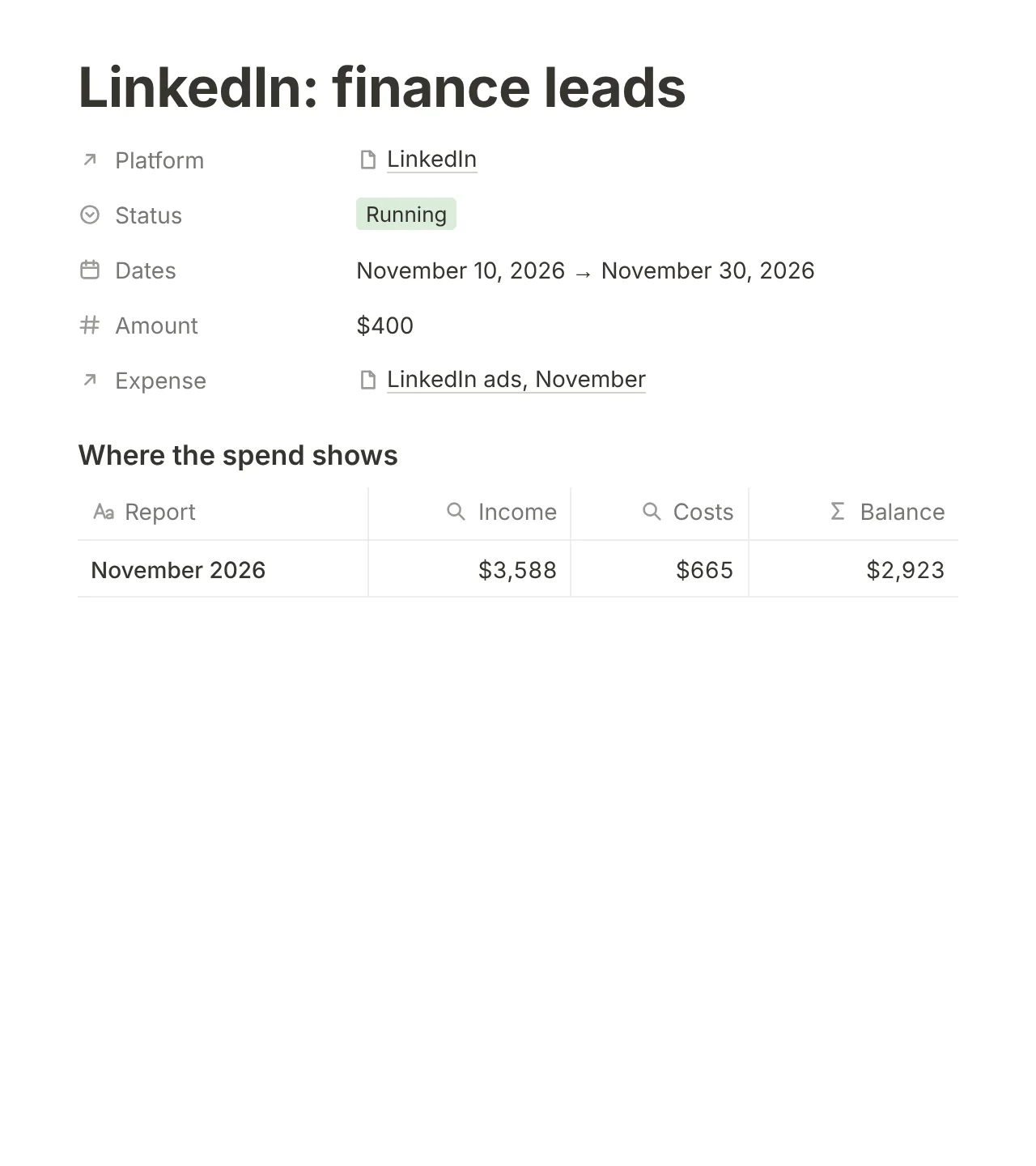
Plan what you publish and see what ads cost.
Plan posts and articles by platform, stage and date. Ad campaigns record their spend in Expenses, so it shows in the monthly report.
- A content board by stage and platform
- Ad campaigns with dates and amounts
- Ad spend in the finance reports
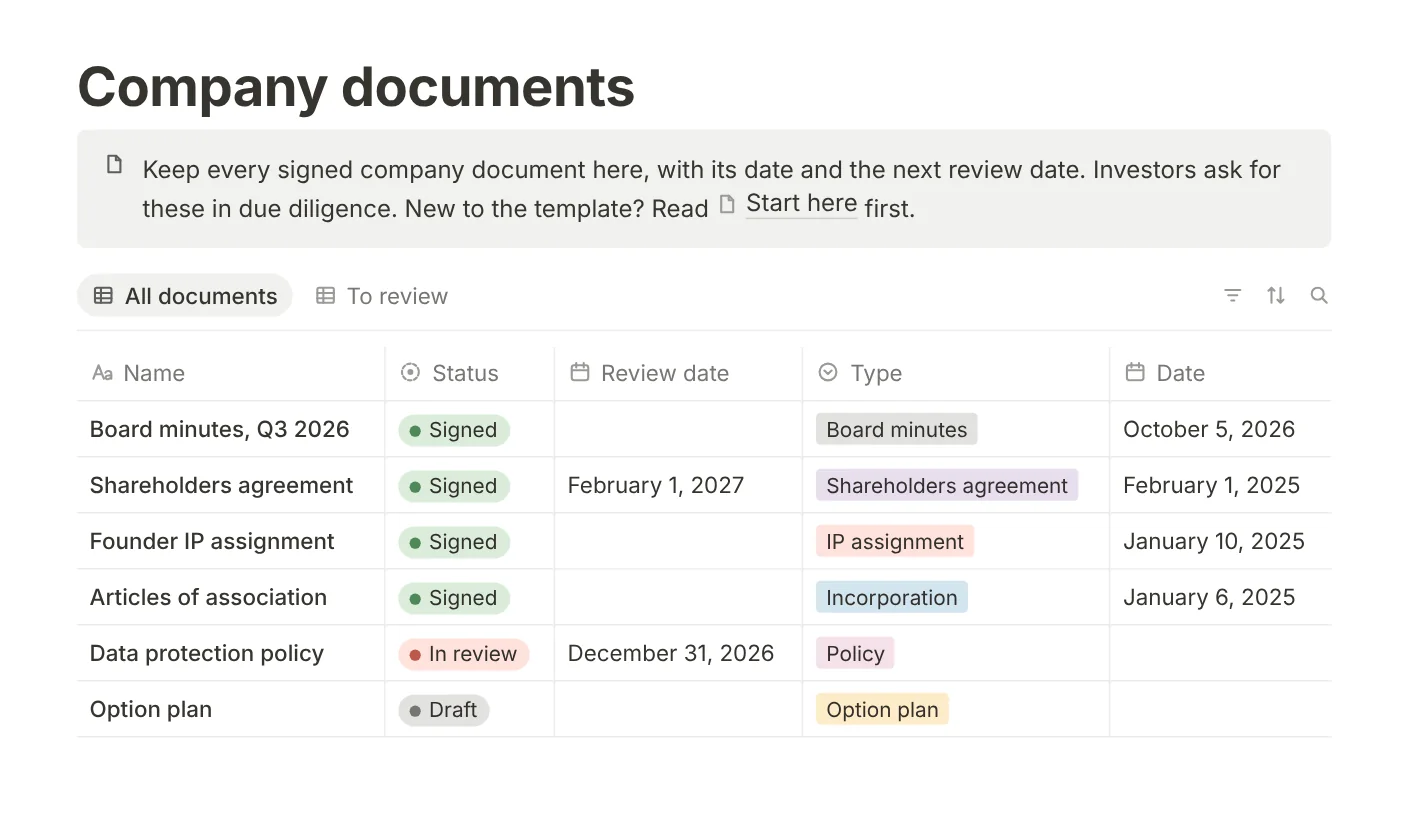
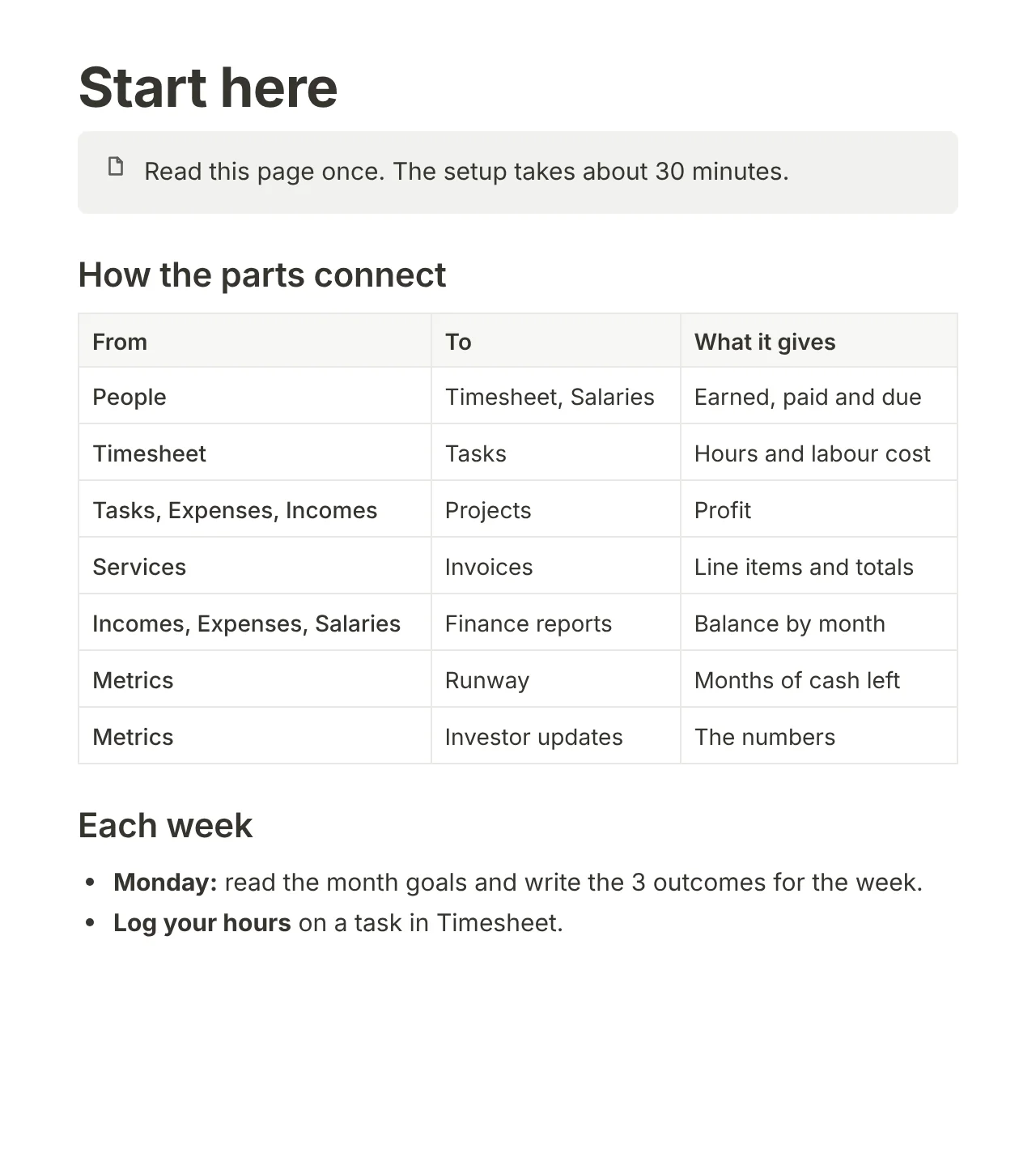
Have every document ready for due diligence.
Keep each signed document with its date and its next review date. The Start here page takes you through the set-up, and the weekly and monthly routines.
- Company documents with review dates
- A Start here guide: set-up in about 30 minutes
- Notes and resources
$59 once: just over one hour of a designer at $50 an hour.
For that you get the tools you would otherwise build and link yourself: a CRM, a timesheet, an investor pipeline, a pay sheet, a runway sheet, invoices, a hiring plan, a content planner and a document register.
They are already connected, so the numbers on this page work in your copy from the first day.
- The full template: 9 parts and 37 connected databases
- Sample data for a small startup, so you see each part working
- A Start here guide: set-up in about 30 minutes, then weekly and monthly routines
- Every page, property and formula is yours to change
Pay on Stripe
Stripe's secure checkout adds the tax for your country.
Get the link by email
It arrives right after you pay.
Duplicate it into Notion
Click Duplicate, choose your workspace and open Start here.
FAQ
What exactly do I get?
A link that copies the full template into your own Notion workspace, with sample data and a Start here guide. Your copy is yours to change.
Is it a subscription?
No. You pay once and keep your copy.
Is tax included?
Yes. The price you pay at checkout already includes any sales tax or VAT for your country.
Do I need to know Notion formulas?
No. The formulas are set up. You enter hours, prices and payments, and the totals update.
Can I use my own currency?
Yes. The template’s sample data shows euros, and this page shows dollars. The money properties use Notion’s number format, so you change the currency in each property’s settings.
I paid but did not get the email.
Check your spam folder first. If it is not there, write to hello@YOUR-DOMAIN and include the email address you used at checkout.